01The alert
One email when it counts. Zero forecast-checking.
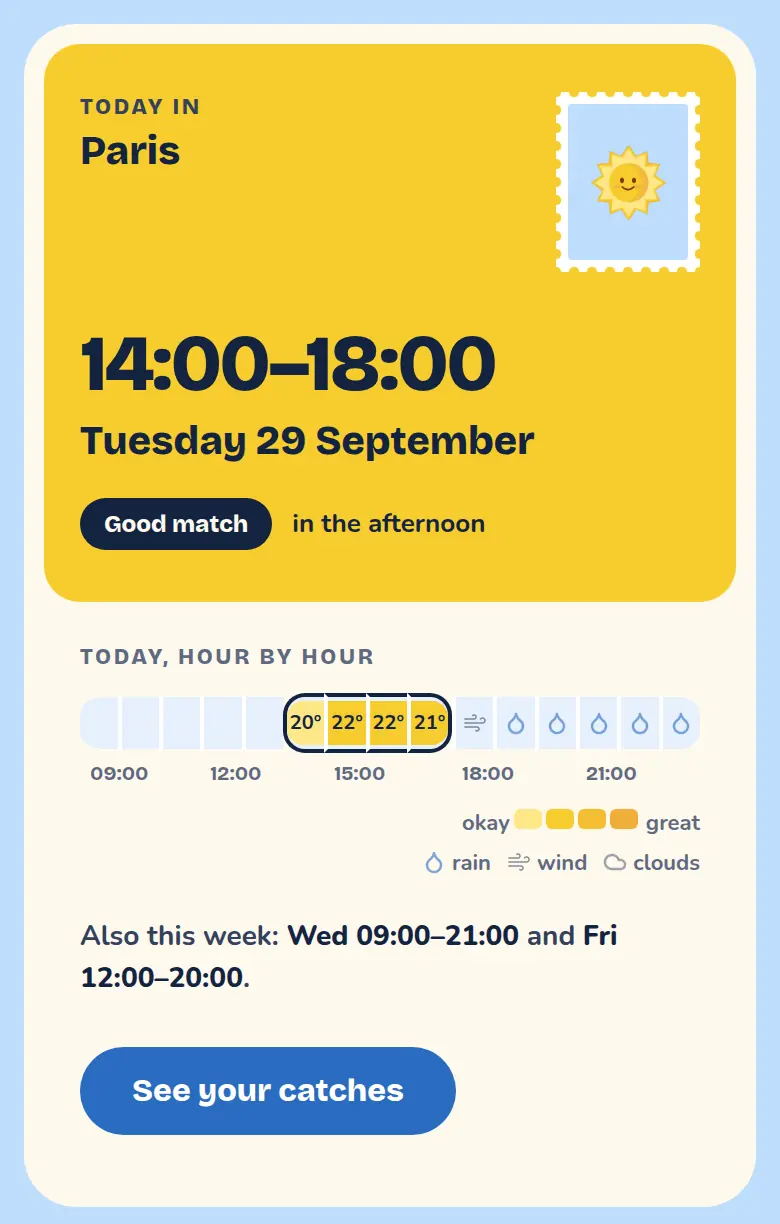
No app to install, no notifications to tame. Just a short email when the week ahead has your kind of day in it.
- Only when it matches.
- Quiet weeks stay quiet.
- It names the day
- Which day lines up, for the exact spot you pinned.
- Pause anytime
- Pause or unsubscribe from the email itself.
02How it works
Set it once. Then stop checking.
About a minute to set up. After that, Suncatcher does the forecast-watching.
-
Drop a pin
Anywhere on the map, so the forecast is for that exact spot.
-
Describe your kind of day
A temperature range, how you feel about rain, wind and clouds. Preview the next 7 days, hour by hour, before you subscribe.
-
Get the email
When an upcoming day matches, it lands in your inbox. Pause or unsubscribe right from the email, no login needed.
03Why bother?
Why not just check the weather app?
You could. Most of us do, every morning — and still hear about the perfect day when it's already half over.
Checking the weather app
- You check every morning, mostly to find nothing.
- “Partly cloudy, 40% rain” — so, is it good or not
- The nice day is noticed on the day, when plans are full.
Letting Suncatcher watch
- You set it once. It checks every day for you.
- Watches the exact spot you pinned: beach, crag, garden.
- Knows your idea of good: 18-24°C, dry, a breeze at most.
- Emails you ahead, while there's still time to plan.
04FAQ
Questions, answered simply.
Is Suncatcher free?
Yes. It's a free side project I made for myself, while the running costs are free it will remain free.
How does it know what a good day is?
You tell it: a place on the map, a temperature range between 0 and 50°C, and how you feel about rain, wind and clouds. Suncatcher compares that with the forecast, hour by hour.
How far ahead does it look?
Seven days. You can preview how the coming week matches your catch, hour by hour, before you save it.
How will I be told?
By email, when an upcoming day matches your catch. No app to install and no notifications to manage.
Can I get notified on more than one location?
Yes. One for the beach, one for the long run, one for the garden: each has its own place and settings. Pause, resume, edit or delete them whenever you like.
How do I stop the emails?
Every alert has a link to pause the catch or unsubscribe, no login needed.
Is the forecast always right?
No forecast is. Suncatcher follows it closely and tells you what it says, so treat an alert as a very good hint, not a promise.
Your next perfect day is already in the forecast.
Set up a catch in about a minute. Free, and you can pause it from any email.